
LED Display Spare Parts Planning: A Buyer’s Checklist
Article Summary
Plan LED display spare modules, power supplies, receiving cards, cables, and handover records with a practical risk-based buyer checklist.
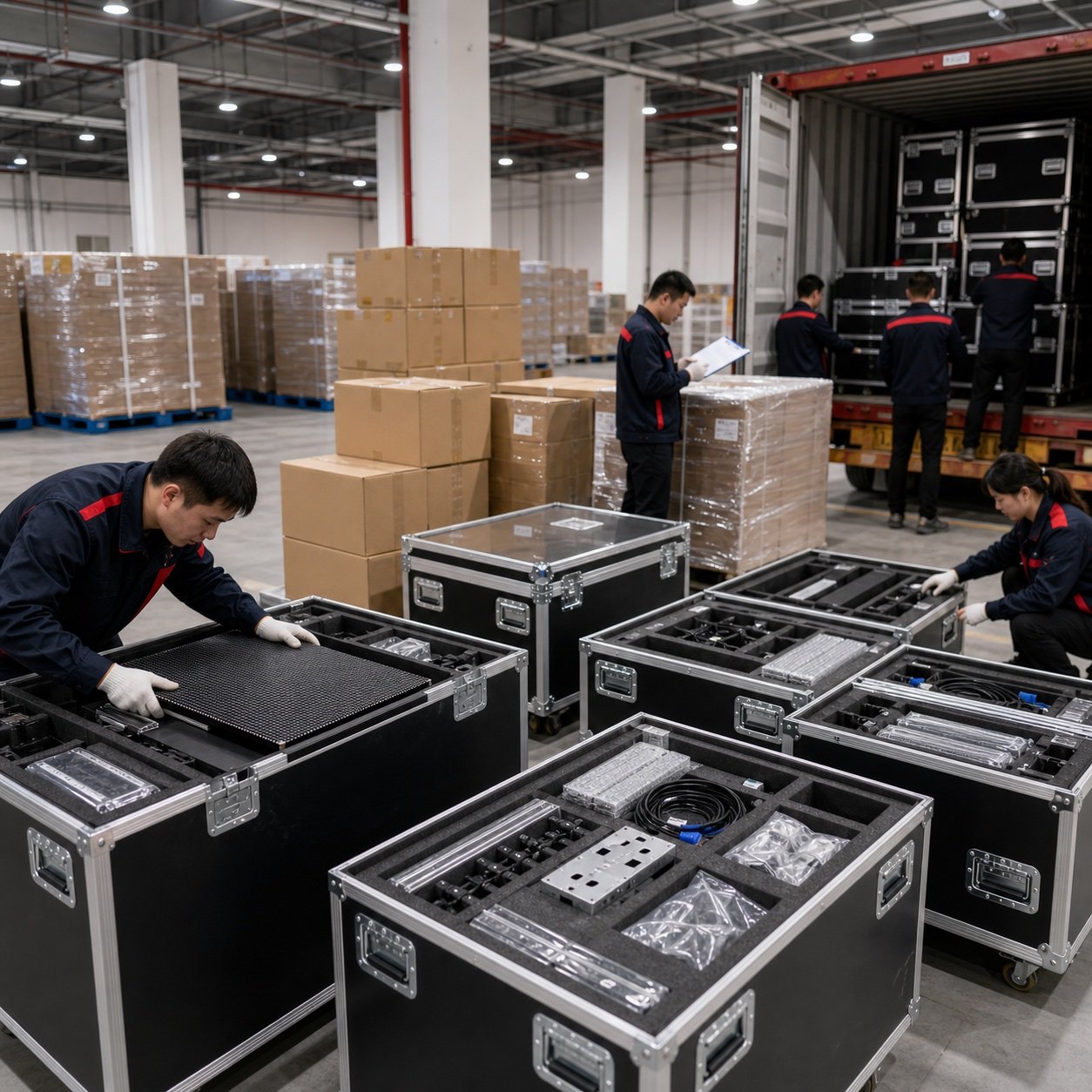
A spare-parts kit is easy to treat as a small line item at the end of an LED display quotation. In practice, it determines how quickly an operator can recover from a damaged module, failed power supply, or data-path problem. The right kit is not simply “a few extra modules.” It should match the screen’s replaceable parts, service access, operating environment, and acceptable downtime. This guide gives procurement teams a practical way to define the kit before approving an order, without relying on a generic percentage that may be too low, too high, or focused on the wrong components.
Why spare-parts planning belongs in the main order
LED displays are assembled from multiple field-replaceable components. A visible fault may come from an LED module, but it can also originate in a power supply, receiving card, hub board, cable, connector, or control path. If the replacement part is unavailable locally, a minor fault can remain visible while a matching item is identified and shipped.
Ordering the core spares with the display also makes matching easier. Modules, electronic revisions, connectors, cabinet layouts, and calibration data can change over a product’s life. A documented kit supplied with the original project gives the maintenance team a known starting point. It should be planned alongside service access; our front- versus rear-service guide explains why the replacement process itself can differ significantly between installations.
What should an LED display spare-parts kit include?
The exact bill of materials depends on the product design. Ask the supplier to identify every component that can be replaced on site and to separate routine field spares from parts that normally require workshop repair.
| Component | Why it may be needed | Details that must match | Main quantity driver |
|---|---|---|---|
| LED modules | Physical damage, pixel faults, moisture damage, or local display defects | Pixel pitch, module size, connector layout, PCB revision, LED and driver configuration, calibration data | Module count, exposure risk, viewing sensitivity, replacement lead time |
| Power supplies | Loss of power to one cabinet or section | Input range, output voltage and current, dimensions, mounting, connectors, cooling arrangement | Power architecture, redundancy, operating temperature, service response target |
| Receiving cards | Data loss, abnormal cabinet output, or communication faults | Card model, interface, firmware, configuration file, hub-board compatibility | Card count, configuration standardization, local troubleshooting capability |
| Hub boards and data cables | Signal distribution or connection faults inside a cabinet | Board revision, pinout, cable length, connector type and orientation | Cabinet design, cable routing, availability of compatible replacements |
| Power and signal cables | Connector wear, accidental damage, or installation changes | Connector family, pinout, gauge, length, locking method, indoor or outdoor use | Handling frequency, rental use, access conditions, cable standardization |
| Fasteners, masks, seals, and tools | Routine service work and restoration of cabinet protection | Exact cabinet and module design | Service method, outdoor sealing needs, specialized tool requirements |
A rental system may also justify spare flight-case hardware or a complete spare cabinet because equipment is handled frequently and show recovery time is short. A fixed outdoor LED display may place more emphasis on sealed modules, matching gaskets, power components, and safe access. An indoor LED display in a controlled environment may have different exposure risks but still needs a plan for visible module uniformity and rapid replacement.
Use a risk-based method instead of one universal percentage
There is no single spare percentage that fits every LED display. A useful quantity starts with the number of identical replaceable units, then adjusts for the operational consequence of a failure. Procurement teams should consider the following factors:
- Acceptable downtime: a live event, control room, retail launch, and secondary information screen do not carry the same interruption cost.
- Installation exposure: public access, weather, vibration, repeated assembly, and transportation can change the likelihood of physical or connector damage.
- Service access: a technician may be able to exchange a module quickly, while reaching a power or signal component behind the screen could require more planning.
- Replacement lead time: include supplier production time, international shipping, customs clearance, and the time needed to verify compatibility.
- Part standardization: a project using one module and cabinet design is easier to support than a site with several unrelated generations.
- Visual sensitivity: close-viewing environments may be less tolerant of a replacement module that differs slightly in color or brightness.
Ask the supplier to show the proposed quantity for each component and explain the basis. For example, a kit containing many modules but no receiving card or compatible power supply may not cover the most disruptive faults. The objective is balanced recovery capability, not the largest possible box of parts.
Record compatibility data before shipment
A spare part is useful only when the maintenance team can identify it and install it correctly. Request an electronic spare-parts list that maps every item to the screen or cabinet type. It should record the supplier part number, description, quantity, compatible cabinet, and revision where relevant.
For LED modules, record the pixel pitch, physical dimensions, scan and driver configuration, connector position, and calibration workflow. Ask whether replacement modules are supplied with calibration data and how that data is applied. For receiving cards, retain the approved configuration files and note the firmware version used at commissioning. For power supplies and cables, document electrical ratings, pinouts, connector types, and mounting details rather than relying only on a photograph.
This information should be included in the broader project handover package. Buyers can use the LED display project-planning checklist to align screen dimensions, installation, control, power, access, and after-sales requirements before quotation.
Plan storage, ownership, and inventory control
Spare parts should remain protected from moisture, dust, electrostatic damage, impact, and unauthorized use. Keep modules in suitable protective packaging and follow the supplier’s storage instructions for the specific product. Store small electronics and cables in clearly separated compartments so similar-looking revisions are not mixed.
Assign one person or team to own the inventory. Record withdrawals, the screen location, the fault found, and whether the removed component was repaired, discarded, or returned to stock. Review the kit after every repair and before a critical operating period. An unopened box is not proof that the correct parts are still inside.
Spare-parts questions to add to your RFQ
- Which modules, power supplies, receiving cards, hub boards, cables, seals, and tools are field-replaceable?
- What spare quantity do you recommend for each item, and what project assumptions support that recommendation?
- Will the spare modules be matched to the original production and calibration data?
- Which configuration files, firmware records, pinouts, and parts lists will be included at handover?
- Are any cabinets or screen sections built with different component revisions?
- What is the expected process for ordering compatible replacements later?
- Which repairs can a trained local technician perform, and which should be returned to the supplier?
- How should each component be packed, stored, tested, and tracked?
These questions also help distinguish a complete support plan from a vague promise of “free spare parts.” When evaluating vendors, combine the answers with the documentation, warranty boundaries, service response, and quality-control checks discussed in our B2B LED display supplier guide.
Common mistakes to avoid
- Buying modules only: visible faults do not always begin at the module.
- Accepting an unexplained percentage: the number should relate to actual replaceable-unit counts and downtime risk.
- Ignoring revisions: a part with the same general description may have a different connector, PCB, firmware, or mounting layout.
- Leaving files with one technician: configuration and mapping records should belong to the project and be backed up.
- Failing to replenish stock: a kit gradually loses value when used parts are not replaced.
- Storing parts near the screen without protection: convenient access does not replace suitable packaging and environmental control.
Build the kit around the real maintenance plan
A useful LED display spare-parts kit connects four things: the installed bill of materials, the faults a local team can actually resolve, the time the operator can tolerate a visible problem, and the lead time for replenishment. Define those conditions first, then ask for a component-by-component proposal with matching data and handover files.
For a project-specific recommendation, send the screen dimensions, indoor or outdoor location, product type, service access, operating schedule, installation country, and acceptable recovery time. Those details make it possible to discuss a practical spare-parts list alongside the display quotation.
How This Guide Was Prepared
This guide was prepared by the Shangxian Display Editorial Team using available product specifications, factory inspection workflows, recurring buyer questions, and practical project-selection requirements.
Final product specifications, certifications, warranty terms, spare-parts quantities, lead times, and installation requirements should be confirmed for the selected model in the project quotation.